
Plans and billing
Delete workspace or account
Permanently delete a Quenza workspace and all its data, or ask the Quenza team to close your personal account for you.
Your Quenza login is a personal account that can belong to more than one workspace. Deleting a workspace and closing your personal account are two different things:
- Delete a workspace when you close your practice in Quenza for good: the workspace and everything in it is removed, for everyone in it.
- Close your account when you personally want to leave Quenza: your profile is removed from every workspace you belong to.
Delete a workspace
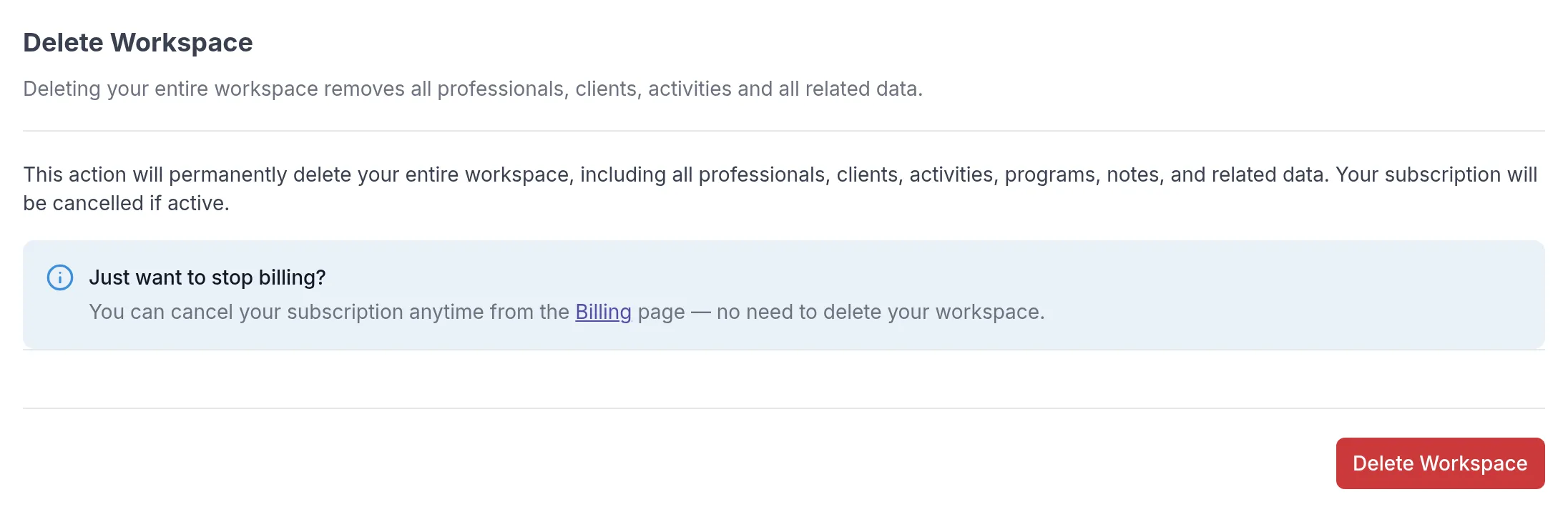
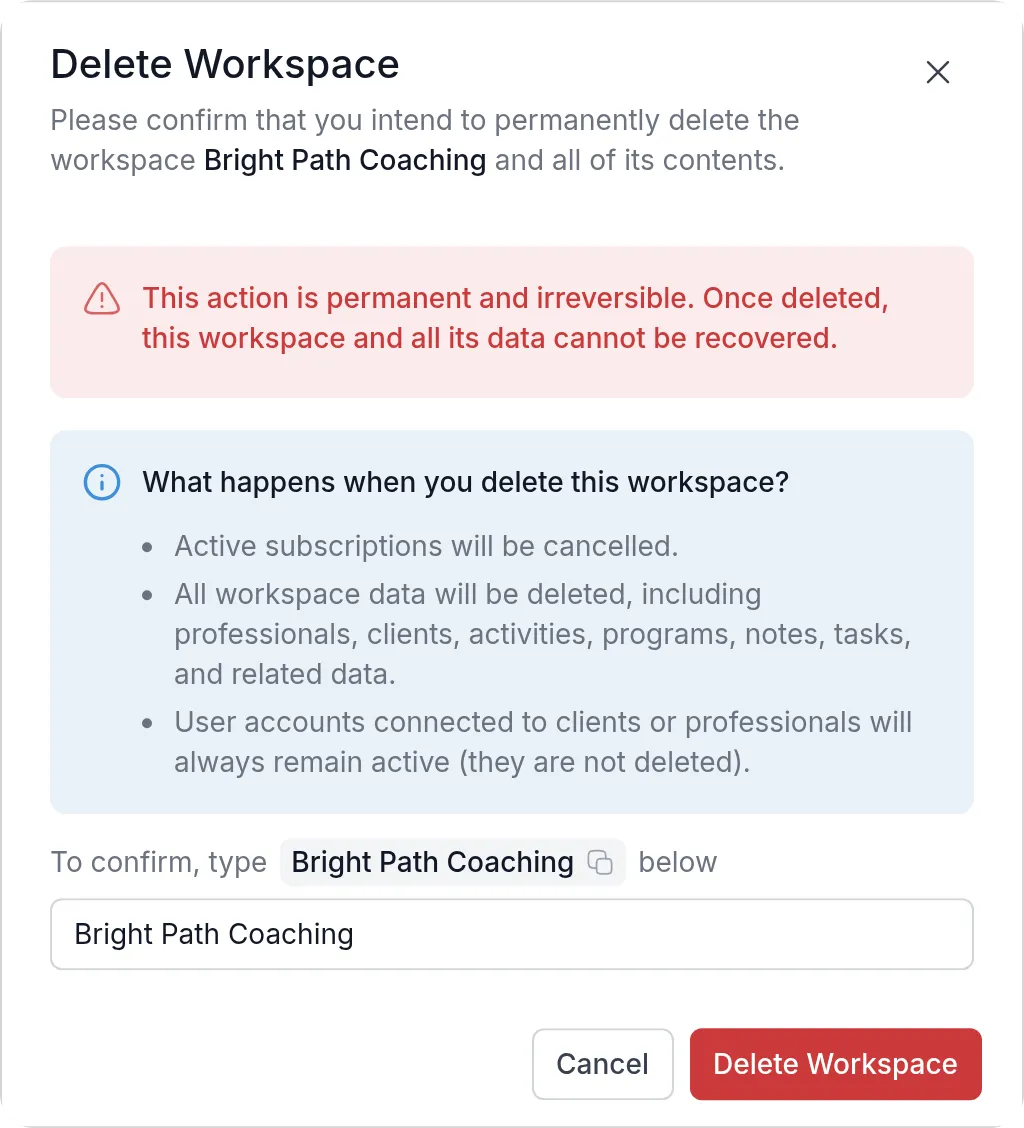
Section titled “Delete a workspace”Deleting a workspace permanently removes all its data: professionals, clients, activities, programs, notes, tasks and everything related. An active subscription is cancelled. The personal accounts of the clients and professionals stay active, so they can still sign in to other workspaces. Only the workspace Owner can delete a workspace.
Before you delete, think about what your clients need to keep. For example, export client data you are required to keep for your records, and let clients know so they can save their own notes.
-
In the sidebar under Administration, click Workspace → General.
-
Scroll down to Delete Workspace and click Delete Workspace.
-
Read what will be deleted and type the workspace name to confirm.
-
Click Delete Workspace.
Close your personal account
Section titled “Close your personal account”Closing your personal account removes your profile from every workspace. You can’t do this yourself in the app yet; the Quenza team does it for you.
Click your workspace name at the top left, then My account. Your account page opens in a new tab, and the Close account tab explains what closing your account means.
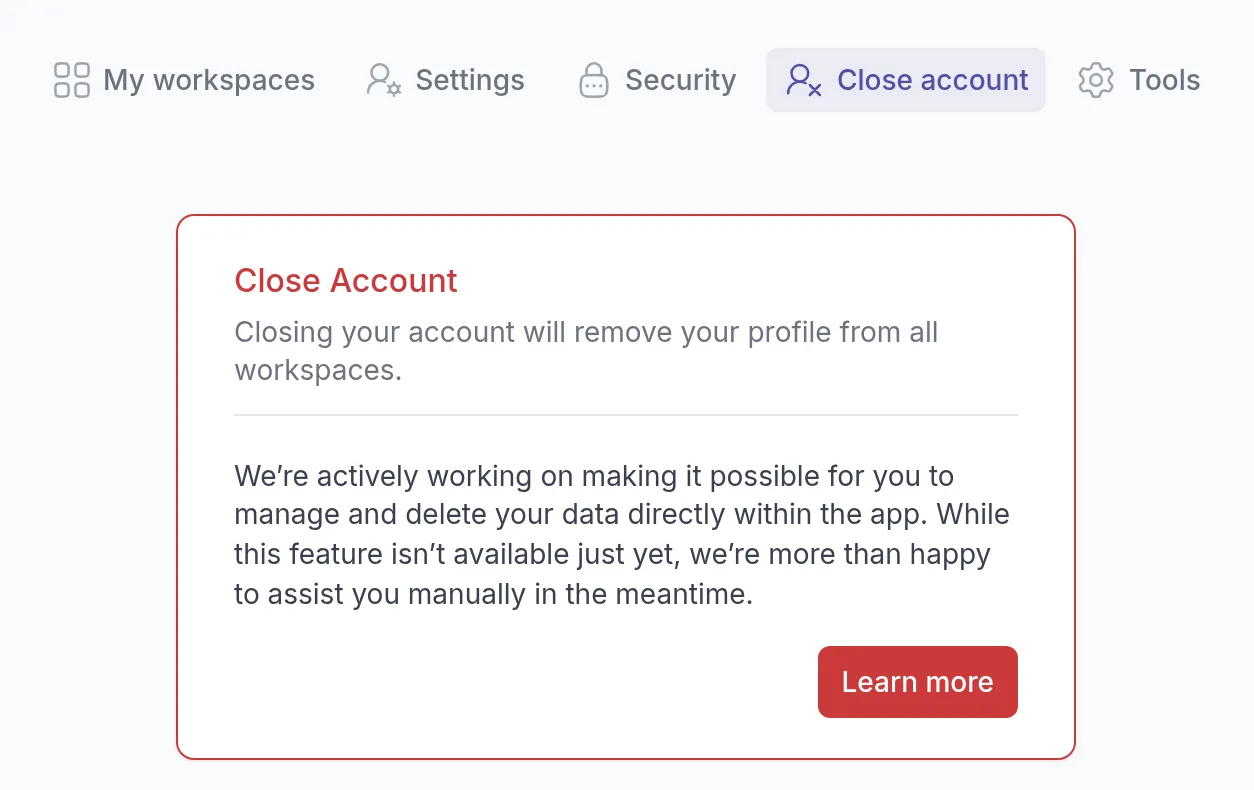
To go ahead, contact our support team from the email address you sign in with and ask them to close your account. They remove and delete your data for you.
Was this article helpful?
Thanks for letting us know.
Thank you. We read every answer and use it to improve this article.