
Get started
View as client
Use your demo client to try activities, tasks and notes and see exactly what your clients see.
Your workspace has a demo client in your own name. Use it to try out your content and see the client app exactly as your clients will, without a second email address or a test account. Every professional in the workspace has their own demo client, which only they can see.
It is the quickest way to check your work before a client sees it. For example, before Sarah Bennett sends her new Sleep diary to the Mindfulness group, she sends it to her demo client first, fills it out herself, and fixes a question that turned out to be unclear.
Find your demo client
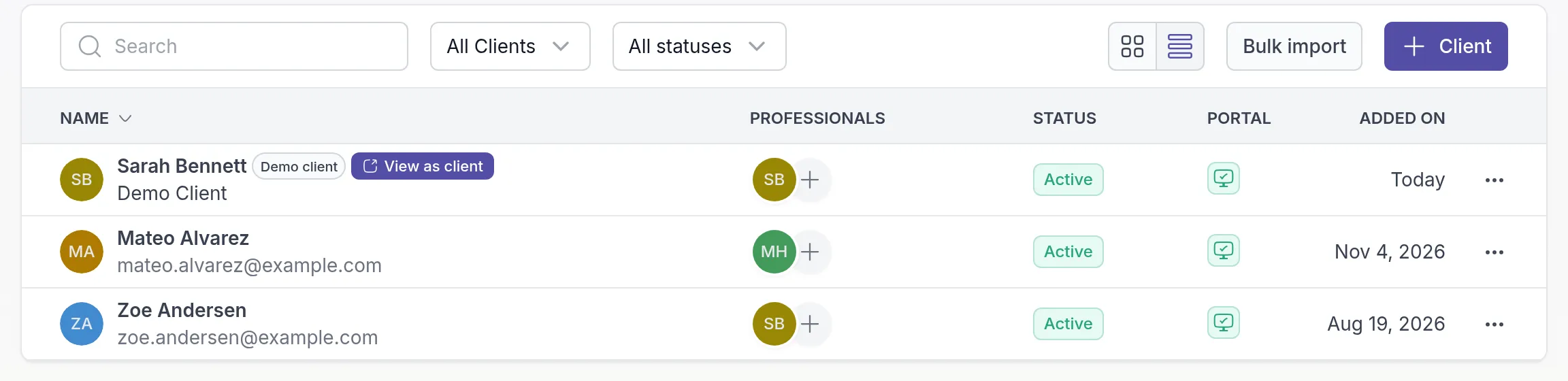
Section titled “Find your demo client”Go to Clients in the main menu. Your demo client has your name and the label Demo client, at the top of the list.
Try something out
Section titled “Try something out”Send something to your demo client the same way you would to a real client, for example:
- Send an activity or a program.
- Create a task for your demo client.
- Share a note or start a chat.
Open the client app as your demo client
Section titled “Open the client app as your demo client”On the Clients page, click View as client next to your demo client’s name. On a smaller screen the button is called Open. You can also open the demo client’s page and choose View as client in the ⋯ menu at the top right.
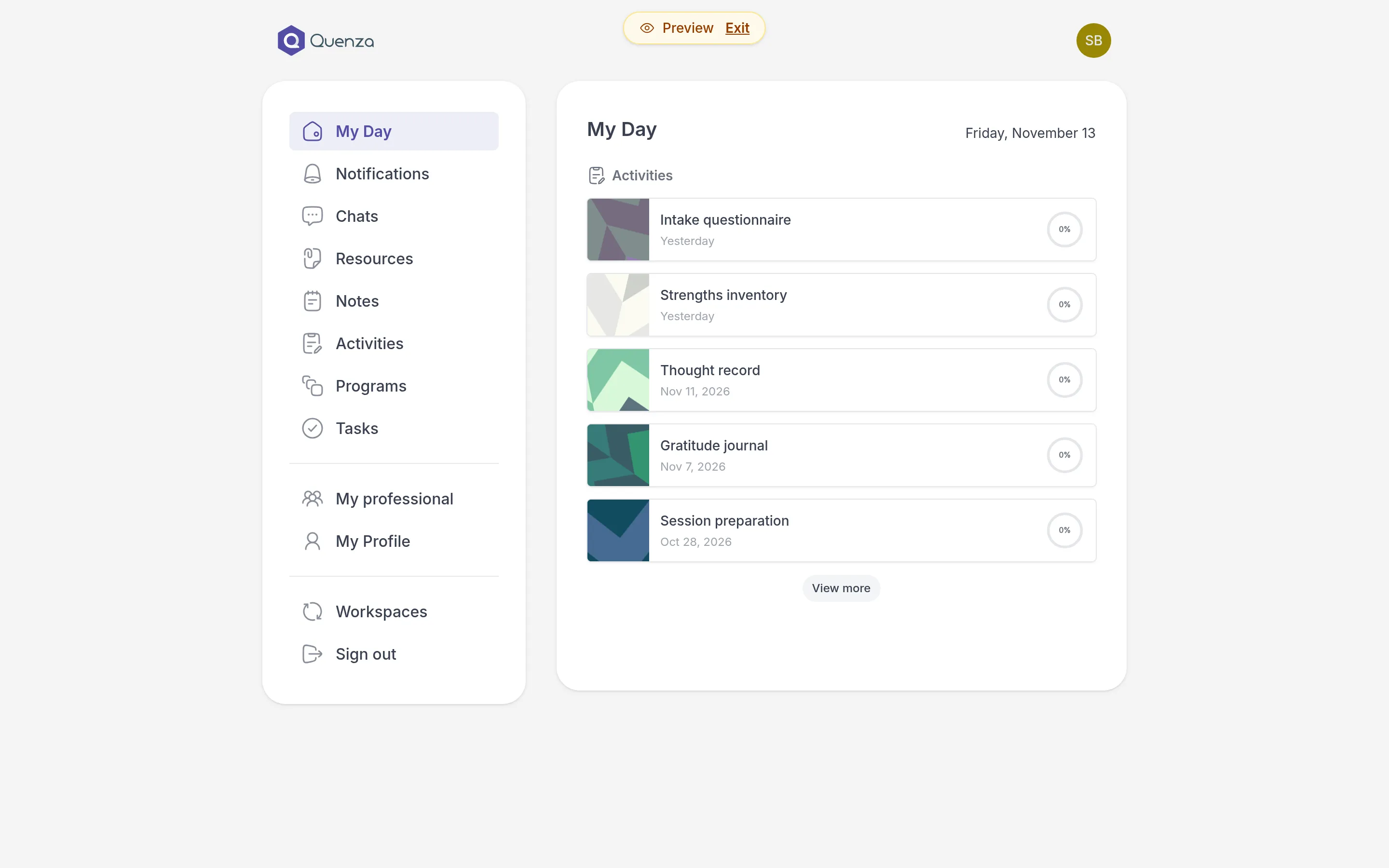
The client app opens, signed in as your demo client. A Preview label at the top of the screen reminds you that you are looking at the demo client. Complete the activity, tick off the task or reply in the chat, just as a client would. Your answers then show up in your workspace like a real client’s, so you also see what you get back.
To go back to your own workspace, click Exit next to Preview.
What is different about the demo client
Section titled “What is different about the demo client”- The demo client does not count towards your client limit, so you can keep it as long as you like.
- You cannot archive or delete the demo client, or change its portal accessPortal accessWhether a client can sign in to the client portal. You can pause it for a while without archiving the client..
- Only you see your own demo client. Colleagues in your workspace see their own demo client instead.
Was this article helpful?
Thanks for letting us know.
Thank you. We read every answer and use it to improve this article.