
Troubleshooting
Feedback and changelog
Suggest features, vote on ideas, report bugs and follow product updates on the Quenza feedback site and changelog.
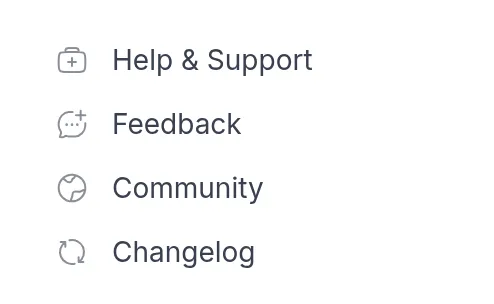
Quenza is built with the practitioners who use it. Tell us what would make it better for your practice, vote on other people’s ideas, and see what we have recently released. Anyone with a professional account can do this from the links at the bottom left of the sidebar.
Suggest a feature or vote on ideas
Section titled “Suggest a feature or vote on ideas”Click Feedback at the bottom left of the sidebar. The Quenza feedback site, feedback.quenza.com, opens in a new tab. Ideas are sorted into boards:
- Feature Requests: ideas for new features or improvements.
- Pre-Made Content: activities, programs or other content you would like in the pre-made library.
- Integrations: tools you would like Quenza to connect with.
- Languages: languages you would like Quenza to support.
Look for an existing request first. If there is one, upvote it and add a comment about how you would use it. A concrete example helps us most, such as: “I run a weekly Mindfulness group and would like to send the same reflection to every member after each session.” If there isn’t one, create a new request in the board that fits.
When you create or upvote a request, you get updates when its status changes, for example when we start working on it or release it.
Report a bug
Section titled “Report a bug”If something doesn’t work as expected, email us at help@quenza.com. Describe what you did, what you expected and what happened instead. A screenshot helps. Leave out client names and other personal data.
See what’s new
Section titled “See what’s new”What’s new lists new features, improvements and fixes, newest first, and links each change to the help articles that explain it. Open it with What’s new at the top of this help center, or with Changelog at the bottom left of the sidebar in Quenza.
Join the community
Section titled “Join the community”Click Community at the bottom left of the sidebar to open the Quenza community. There you can ask other practitioners how they use Quenza, share tips and read announcements about new pre-made contentPre-made contentReady-made activities and programs, based on psychological research, that you add to your library and use as they are or adapt..
Was this article helpful?
Thanks for letting us know.
Thank you. We read every answer and use it to improve this article.