
Brand your practice
Rename "My professional"
Replace "My professional" with the words you use with clients, such as "My coach" or "My therapist", in every language.
In the client app, clients see you under My professional. You can replace that with the words you use in your practice, such as My coach, My therapist or My mentor. The setting applies to the whole workspace.
It is a small change that makes the app feel like yours. Sarah Bennett works as a coach, so her clients see My coach in the menu. A therapy practice would choose My therapist, and a practice where clients work with two people at once would set the plural, My therapists, too.
Custom translations are available on all current plans and during the free trial, but not on Legacy plans. You need permission to edit workspace settings; if you cannot open them, ask your workspace owner.
Change the label
Section titled “Change the label”Go to Administration → Workspace → Customization, open the Translations tab and choose the language under Language. In the General section, find My professional.
Click a preset, such as My coach, to fill in both forms, or type your own wording:
- Singular: for clients who work with one professional, such as “My coach”.
- Plural: for clients who work with several, such as “My coaches”.
Then click Save changes.
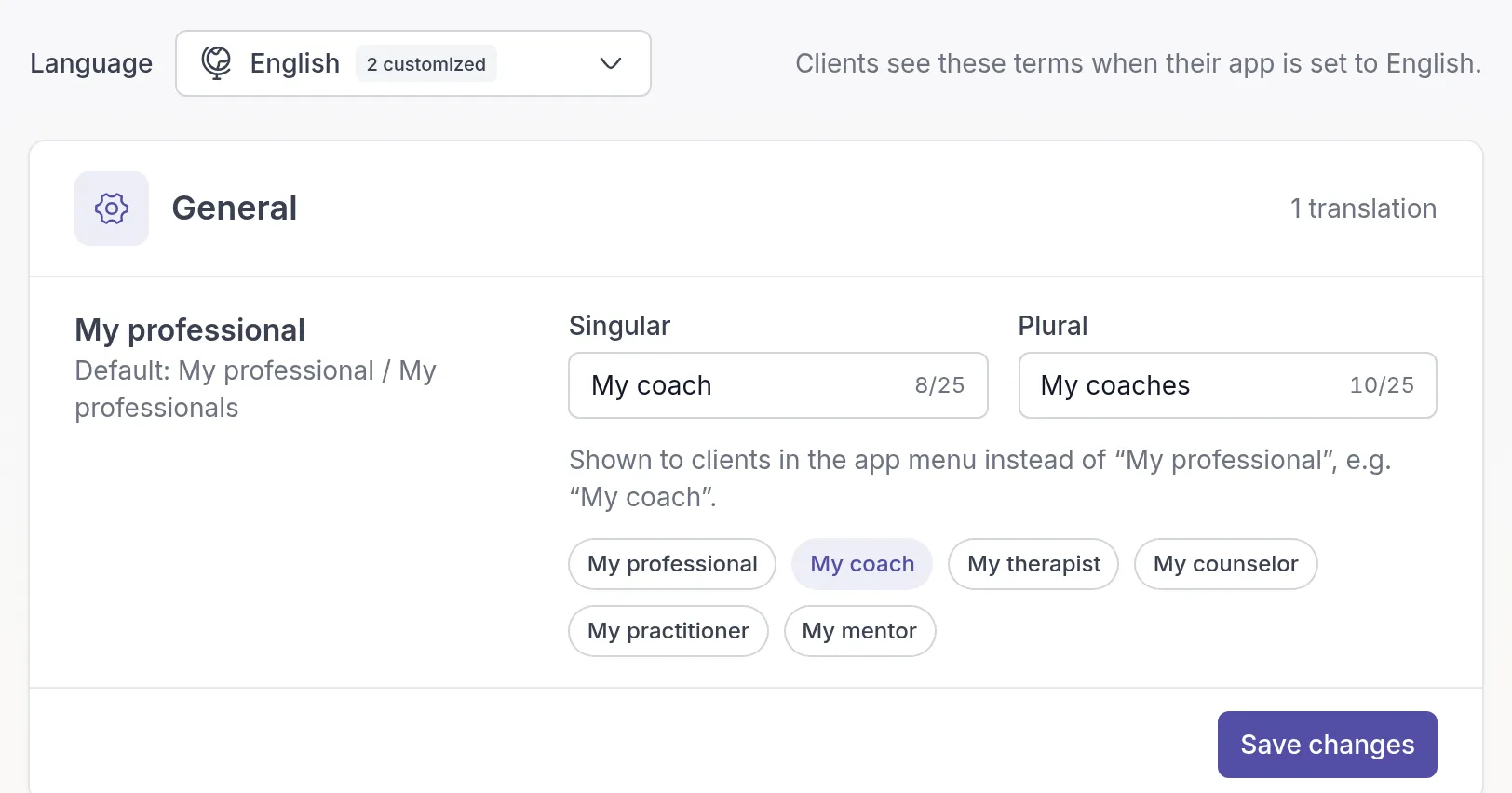
Enter the complete label, including “My”. Quenza shows exactly what you type. Each form can be up to 25 characters, including spaces.
You can change one form and leave the other empty. An empty form uses Quenza’s built-in wording.
Set the label for other languages
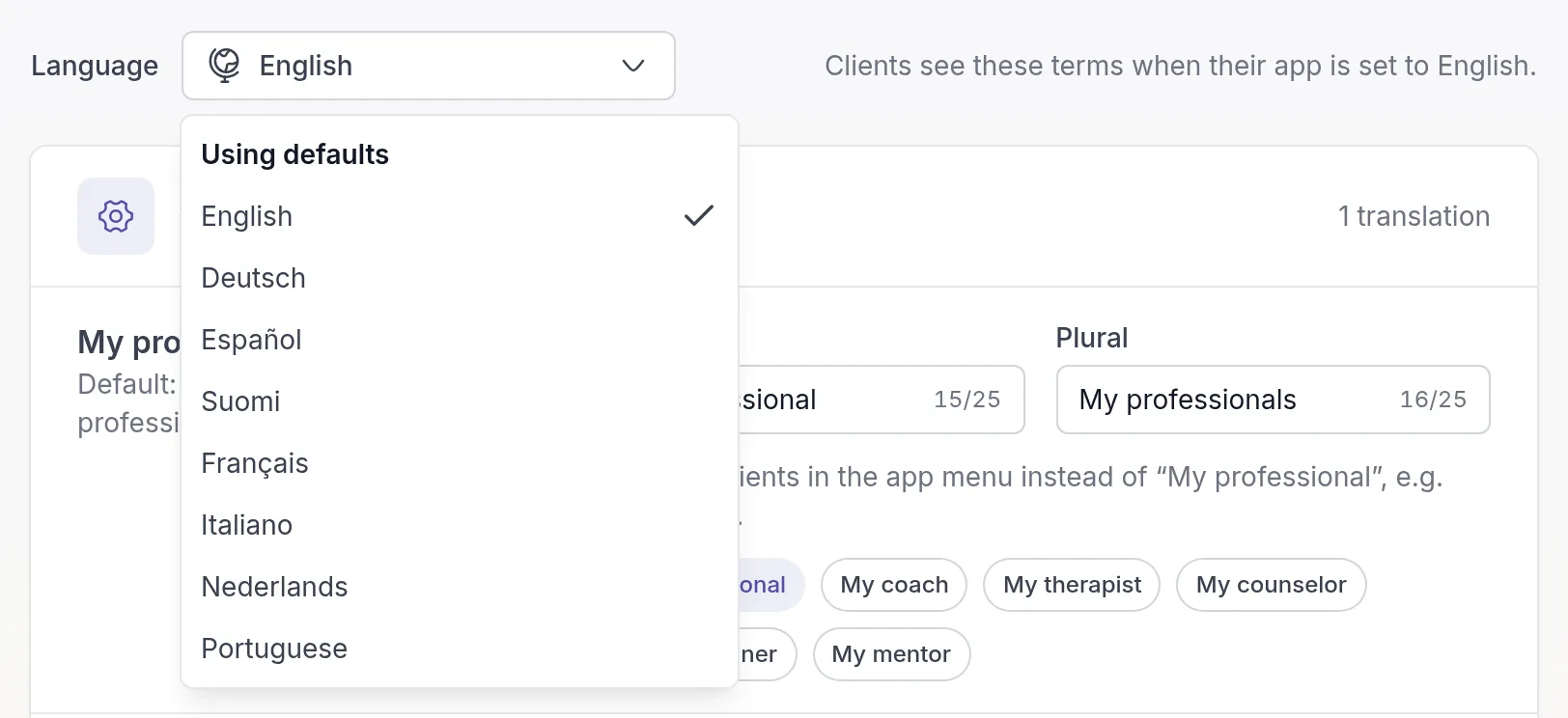
Section titled “Set the label for other languages”Clients see the label for the language their app is set to. A client using German sees your German label, or Quenza’s built-in German wording if you have not changed it.
You can set a label for English, German, Spanish, Finnish, French, Italian, Dutch and Portuguese. Choose the language under Language, pick a preset or type your wording, and click Save changes. A preset only changes the selected language. Languages you have changed are listed under Customized in the dropdown, the others under Using defaults.
What your clients see
Section titled “What your clients see”Your wording appears in the client app’s menu, as the title of the page with their professionals, and as the professional heading in Chats. Quenza uses the singular or plural form depending on how many professionals the client works with.
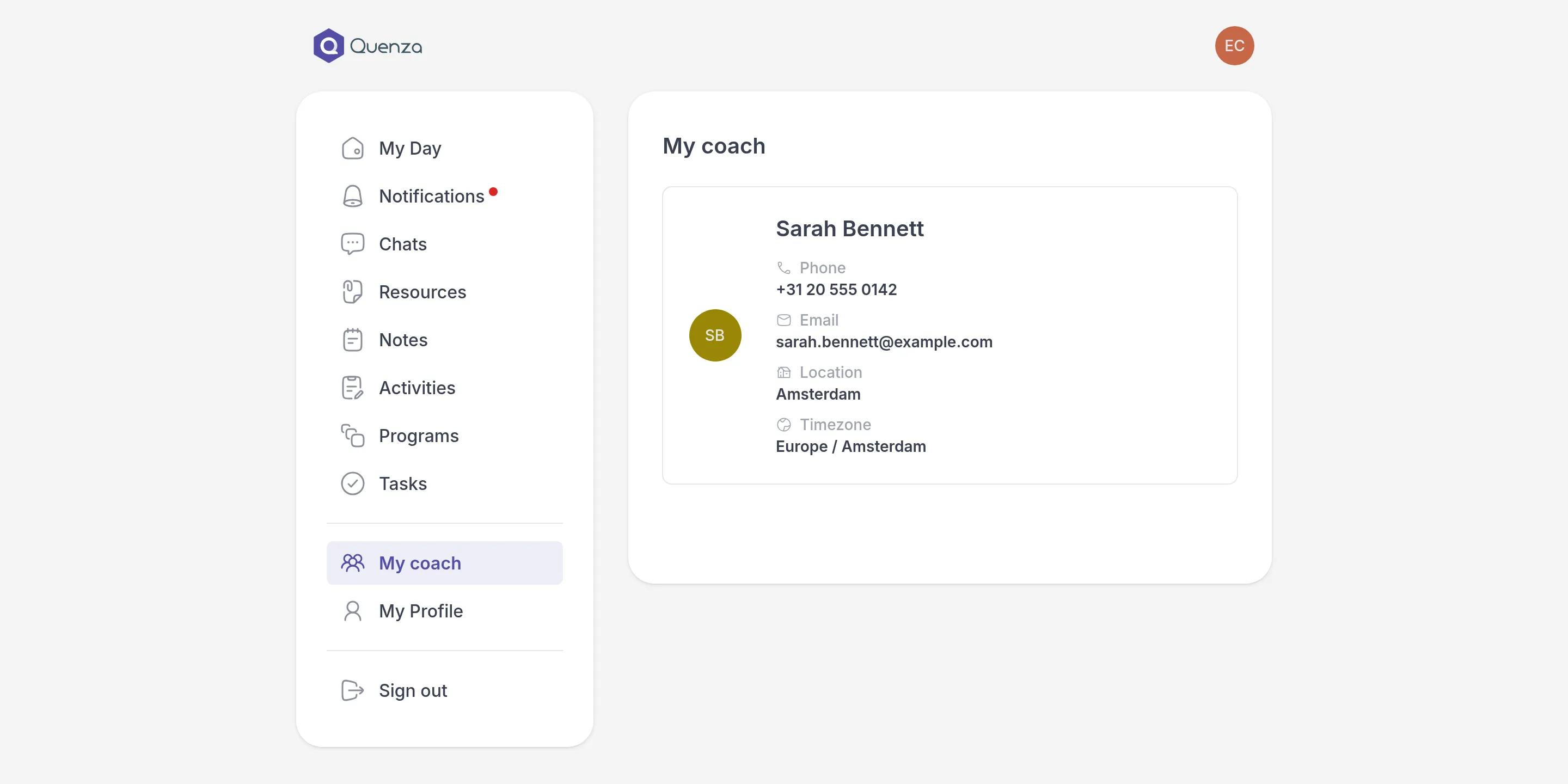
If a client has the app open, they need to refresh it to see the new wording.
The setting does not rename professional profiles, change permissions, change emails, or replace every other use of the word “professional” in Quenza.
Go back to the default wording
Section titled “Go back to the default wording”On the Translations tab, choose the language, click the My professional preset to restore both forms and click Save changes.
To restore only one form, clear its field and save. Other languages keep their own labels.
Related
Section titled “Related”- Your logo
- Your professional (for clients)
Was this article helpful?
Thanks for letting us know.
Thank you. We read every answer and use it to improve this article.