
Plans and billing
Free trial
See what you can do during your 30-day free Quenza trial, what happens to your workspace when it ends, and how to subscribe to a plan.
Every new Quenza workspace starts with a 30-day free trial, so you can try Quenza with your own clients before you pay anything. You don’t need a credit card to start. To sign up, see Start your free trial.
Make the most of the trial
Section titled “Make the most of the trial”Use the trial as a test run of your real practice. For example: invite two or three clients, send them an activity such as a Daily mood check-in, add a group if you run one, and see how it feels for you and for them. By the end of the month you know which features you use, which tells you which plan fits. See Plans and pricing.
The trial includes up to 10 clients and 3 professionals, so you can try Quenza with a few real clients and colleagues. To move a larger client list, import the first 10 now and the rest after you subscribe; the import tells you when a file has more clients than you have room for.
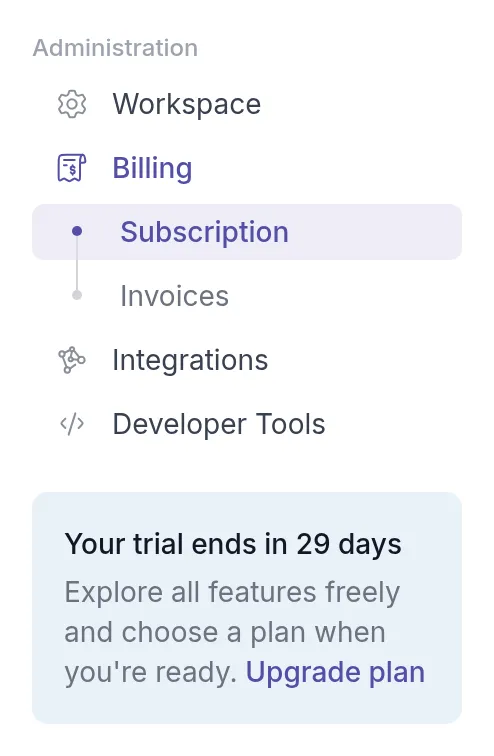
The workspace Owner, Manager and Billing Manager see in the sidebar how many days are left, with an Upgrade plan link to the Billing page.
Subscribe to a plan
Section titled “Subscribe to a plan”You can subscribe at any time during the trial or after it ends, in the web app. Subscribing is not possible in the mobile app.
- In the sidebar under Administration, click Billing → Subscription.
- Choose Monthly or Yearly. Yearly is 20% cheaper; see Monthly or yearly billing.
- Click Subscribe on the plan you want.
- On the secure payment page, enter your billing address and card details and confirm.
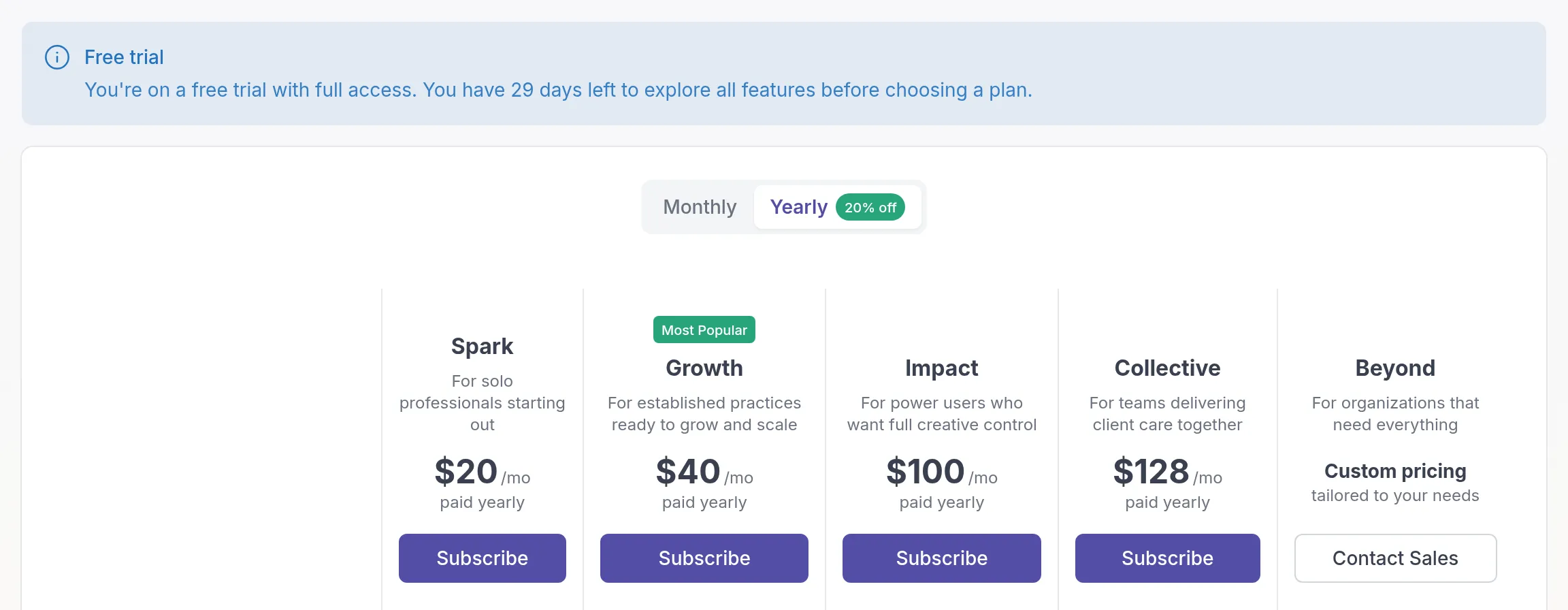
You return to the Billing page, where your new plan is marked Your Plan. Everything you set up during the trial stays as it is.
If your workspace uses more than the plan you pick allows, for example more clients, Quenza tells you before you go to the payment page. See Change plan.
When the trial ends
Section titled “When the trial ends”If you haven’t subscribed when the trial ends, your workspace is paused until you choose a plan.
- The Owner, Manager and Billing Manager see a Trial Ended page with all plans, where they can subscribe straight away.
- Other professionals in the workspace see a message asking them to contact the workspace owner or billing managerRolesWhat each person in your workspace can see and do: Owner, Manager, Member or Billing Manager..
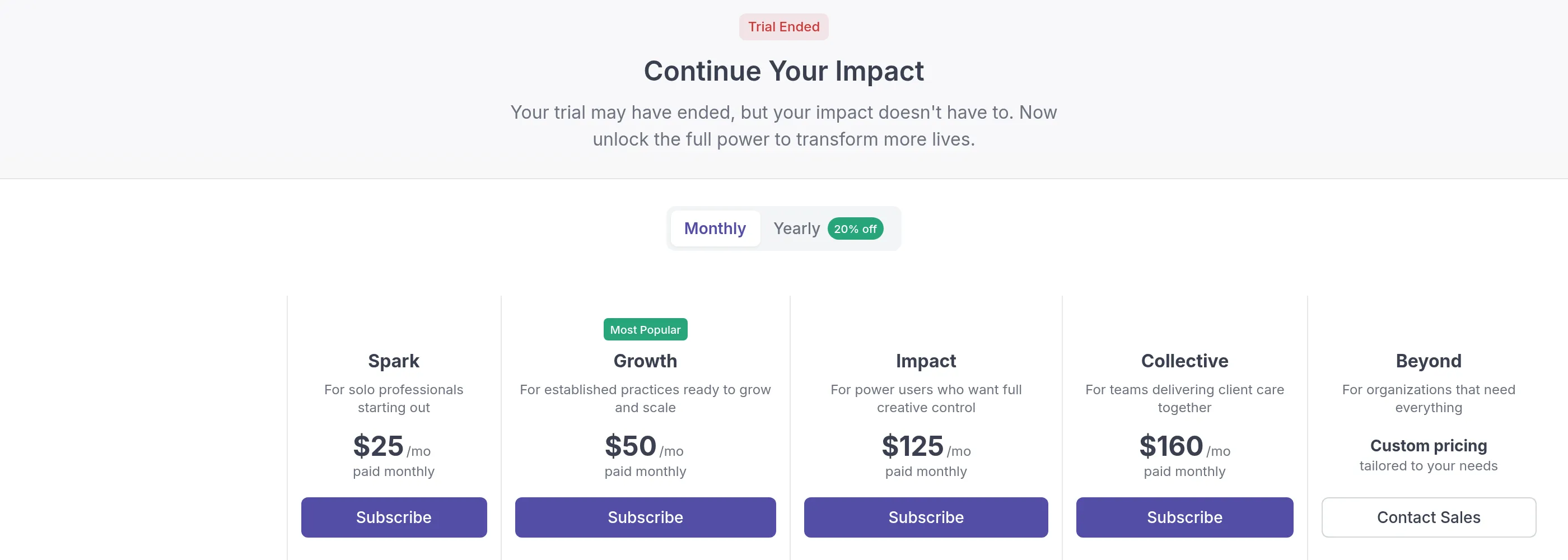
Your workspace and data are not deleted when the trial ends. Your clients, content and settings are kept, so you can pick up where you left off once you subscribe.
If you would like help choosing a plan, contact our support team.
Was this article helpful?
Thanks for letting us know.
Thank you. We read every answer and use it to improve this article.