
Manage clients
Archive clients
Archive a client you no longer work with to remove them from your active client list while keeping all of their data.
Archive a client when your work with them has ended but you want to keep their records. The client leaves your list of active clients, and all of their data stays in Quenza. You can restore an archived client at any time.
For example, Henrik Larsen completes his last session with Sarah Bennett. Sarah archives him: no new content reaches him, her client list stays focused on current clients, and if Henrik comes back next year, his history is still there.
Only taking a break with a client? Pause their portal access instead; they stay an active client.
Archive a client
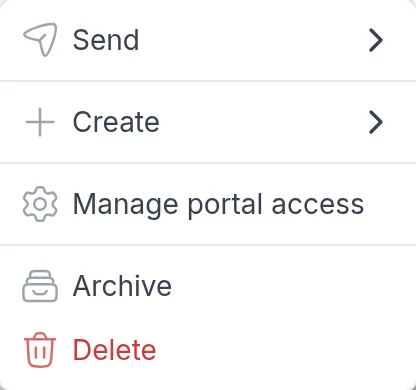
Section titled “Archive a client”Go to Clients, click ⋯ at the end of the client’s row and choose Archive. The same option is in the ⋯ menu at the top right of the client’s page.
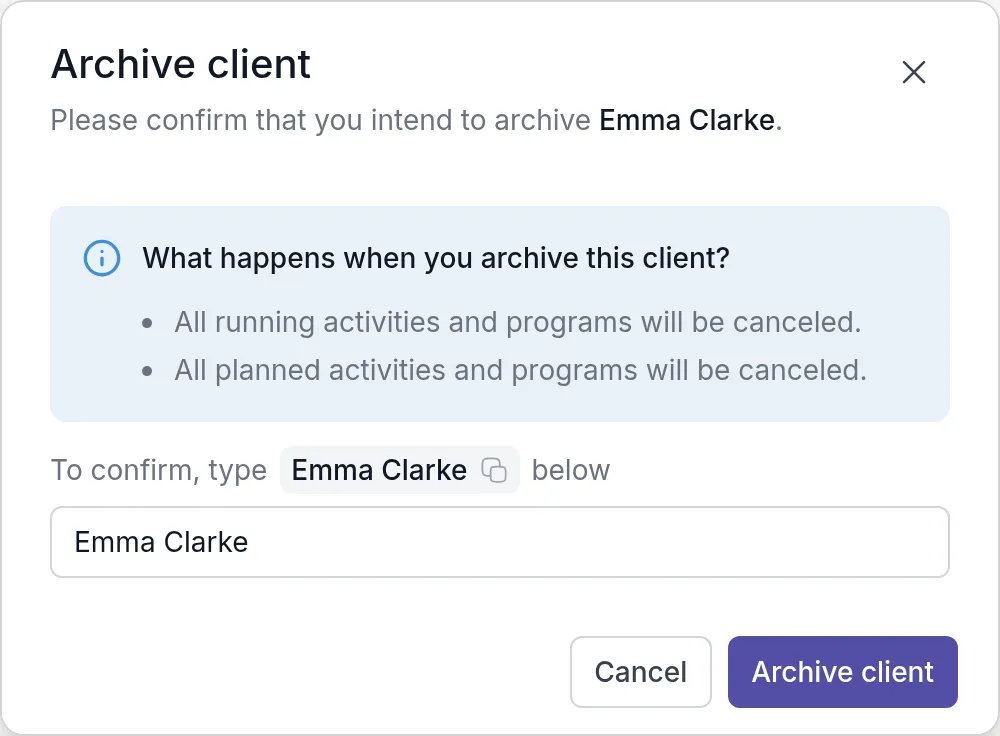
The dialog lists what happens. Type the client’s full name to confirm (click the name in the dialog to copy it) and click Archive client.
You cannot archive your demo clientDemo clientA client in your own name that only you can see. Send it your content to see exactly what your clients will see..
What happens when you archive a client
Section titled “What happens when you archive a client”- All running and planned activities and programs are canceled, so the client receives no new content.
- You can no longer work with the client. You cannot send activities or programs, share notes, assign tasks, or pick the client as the context of a note or task.
- The client’s access becomes read-only. They can still view past activities, completed programs, messages, comments and notes. They cannot complete activities, receive new content, share notes or send messages.
- Nothing is deleted. All past data stays available in read-only form.
To remove a client and all of their data permanently, see Delete clients.
Was this article helpful?
Thanks for letting us know.
Thank you. We read every answer and use it to improve this article.