
Activities and programs
Pre-made content
Find ready-made activities and programs, add them to your library, and see which content tiers your plan includes.
Quenza comes with a collection of ready-made activities and programs created by professionals and based on psychological research. They cover topics such as mindfulness, stress, values and motivation, and include exercises, assessments, forms and multi-step programs. Use them as they are or adapt them to your clients and your approach.
For example, Sarah Bennett wants a quick way to start conversations about stress. Instead of writing a worksheet herself, she adds the pre-made Stress triggers map to her library, changes two questions to fit her coaching style and sends it to Emma Clarke.
Add pre-made content to your library
Section titled “Add pre-made content to your library”Go to Activities → Pre-made or Programs → Pre-made. Search by title, or narrow the list with All formats and All topics. Click an item to open a preview and read through it, then click Add to library.
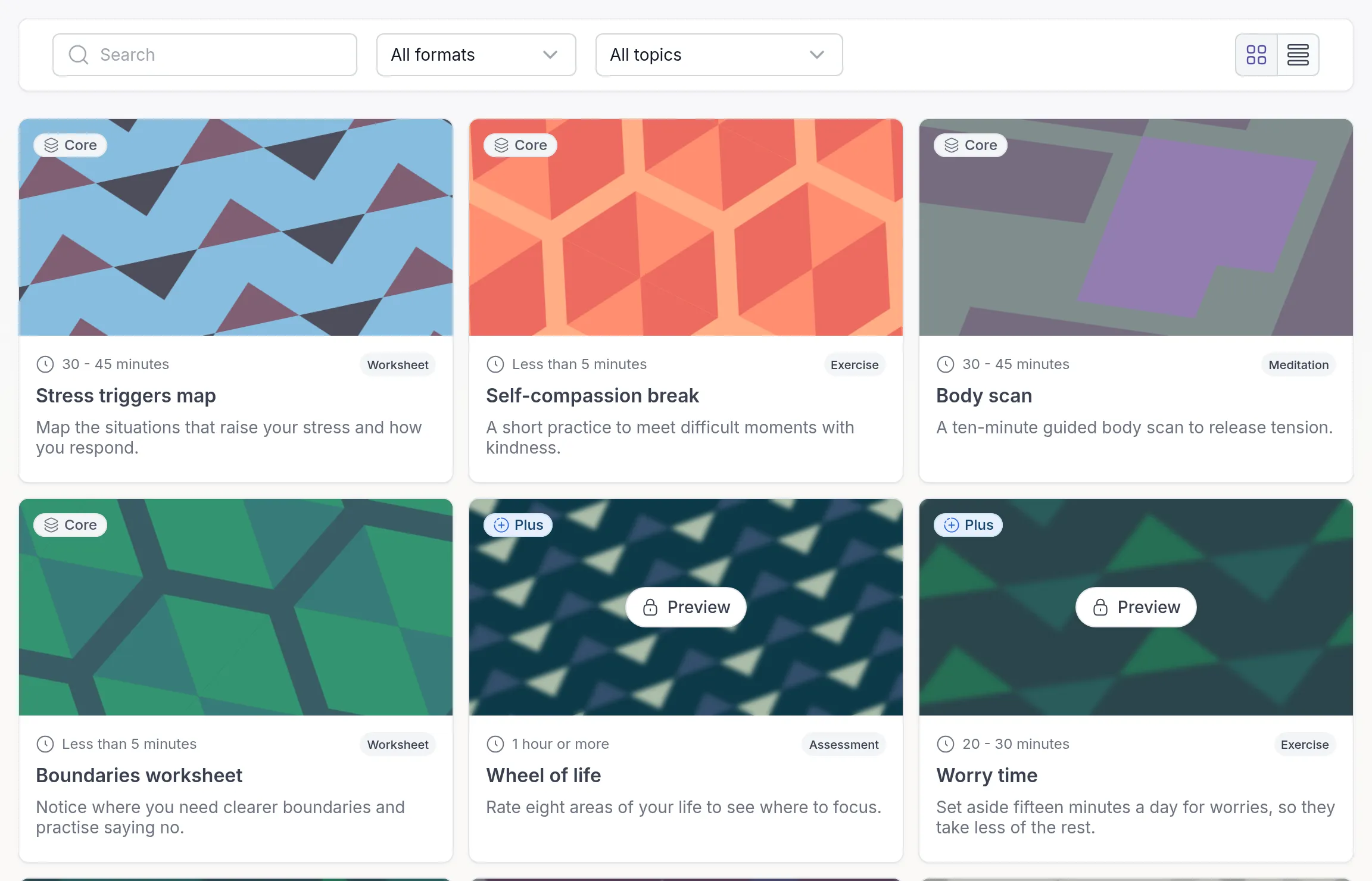
The activity or program now appears in your library as your own copy. Edit the text, change the order of the steps, add media and send it to clients, just like content you built yourself. See Build an activity and Build a program.
Content tiers: Core, Plus and Premium
Section titled “Content tiers: Core, Plus and Premium”Every pre-made activity and program has a badge that shows its tier.
- Core: broadly useful activities and programs that almost any practitioner uses, whatever their discipline. Core is meant to cover everyday needs on its own.
- Plus: more structured material tied to specific frameworks and methods.
- Premium: the most specialized and in-depth material, such as clinically focused activities and multi-week programs for specific conditions, populations or approaches, often with built-in measurement.
Which tiers you can use depends on your plan:
| Tier | Included in |
|---|---|
| Core | Every plan |
| Plus | Growth and higher plans |
| Premium | Impact and higher plans |
During the free trial you can add Core content; Plus and Premium items can be previewed. Access is cumulative: a plan that includes Premium also includes Plus and Core. See Quenza plans and pricing for what each plan includes, and Upgrade or downgrade your plan to change plans. Content from lower tiers stays available when you upgrade.
Content outside your plan
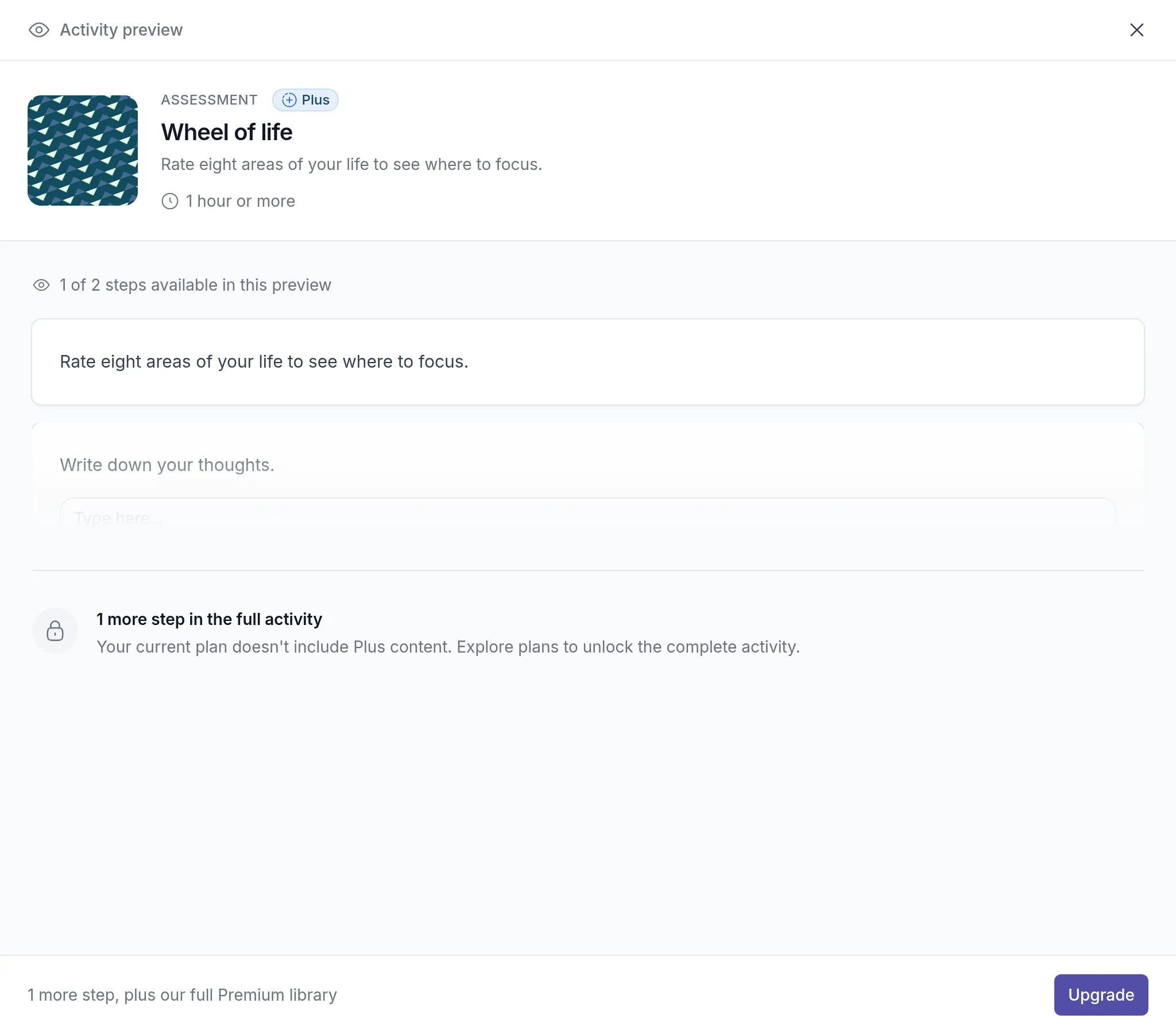
Section titled “Content outside your plan”Items from a tier your plan does not include are shown with a lock. You can still open a preview. It shows part of the content, so you can judge whether it fits, but you cannot add the item to your library. Click Upgrade in the preview to see the plans that unlock it.
How content is assigned to a tier
Section titled “How content is assigned to a tier”The Quenza team assigns tiers by looking at what an activity or program actually contains, not just its title or topic:
- Depth: how much material it has, how many reflective exercises, and whether it includes assessments or progress measures.
- Specialization: broadly applicable content leans towards Core, content tied to a specific framework towards Plus, and content that needs clinical framing or targets a particular condition or population towards Premium.
That is why two activities on the same theme, or two programs of similar length, can be in different tiers.
Was this article helpful?
Thanks for letting us know.
Thank you. We read every answer and use it to improve this article.