
MCPNew: use this help center in Claude, ChatGPT or CursorConnect →
PDF Exports, Chat Notifications and more improvements
Happy New Year from the Quenza team! 🎉 We’re thrilled to start 2026 with fresh updates that enhance your communication with clients and streamline your activities. Here’s what’s new and has been improved in the past days:
New Features
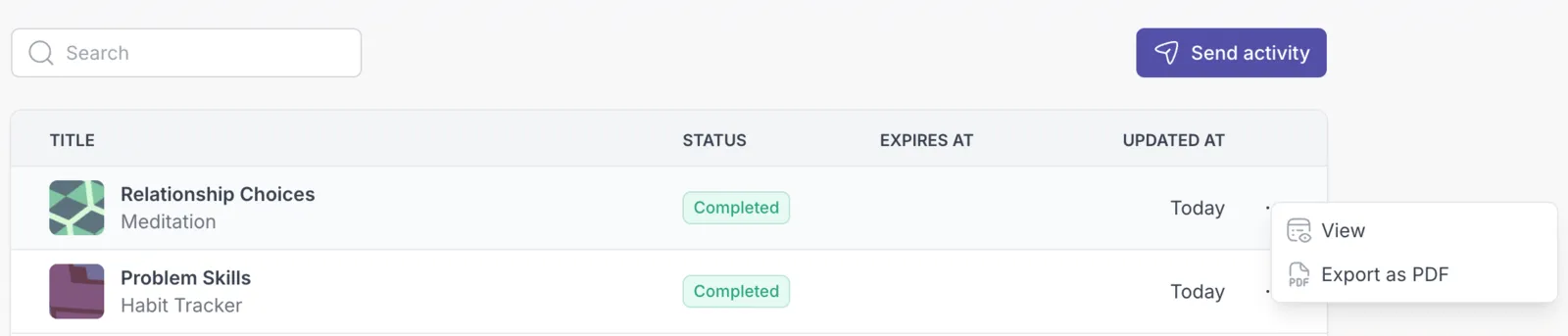
Section titled “New Features”- PDF Export for Completed Activities: You can now export completed activities as PDF files for easy sharing and record-keeping. This can be done from the client’s profile activities list or when you view the results of an activity.
- Chat Email Notifications: Both professionals and clients now receive email notifications when they have unread messages, ensuring important conversations don’t get missed
Improvements
Section titled “Improvements”- Enhanced Rich Text Editor: Fixed issues where sentences were incorrectly broken, providing a smoother editing experience
- Browser Title Privacy Update: Client profile pages now display abbreviated names (e.g., “John D.”) in the browser title for improved privacy
- Checkbox Element Styling: Checkboxes in the Activity Builder now have a more distinct squared appearance to better differentiate them from radio buttons (multiple choice elements)
Bug Fixes
Section titled “Bug Fixes”- Language Settings: Resolved an issue where changing your language preference required entering a password
- Improved Language Detection: The platform now better recognizes and applies your language preferences automatically
- Workspace Deletion: Resolved an issue where deleting a workspace could result in an error