
MCPNew: use this help center in Claude, ChatGPT or CursorConnect →
Resources Overview, Comment Counts & UI Improvements
We’ve got some handy updates to help you stay organized and keep track of your client interactions more easily.
New Features
Section titled “New Features”Resources Overview
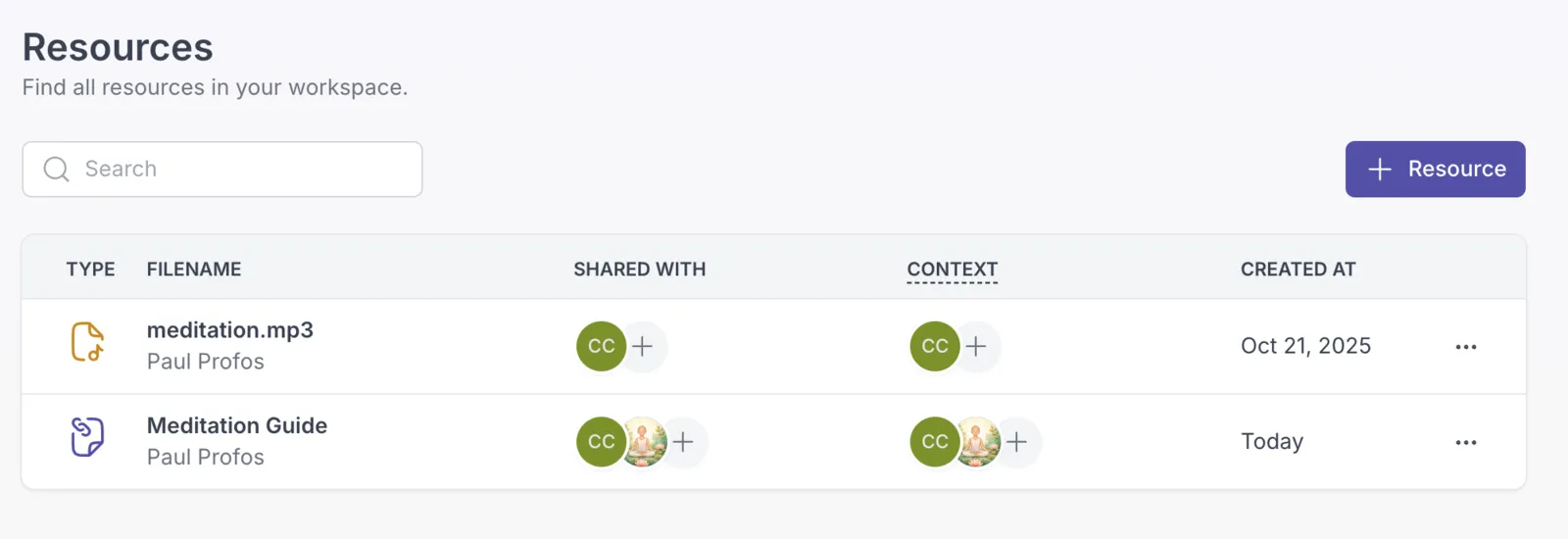
Section titled “Resources Overview”We’ve added a new “Resources” item to the main menu, giving you a dedicated overview of all resources available in your workspace. This makes it much easier to find and share a single resource with multiple clients or groups, without having to navigate to each profile individually.
Improvements
Section titled “Improvements”Comment Counts on Activities and Notes
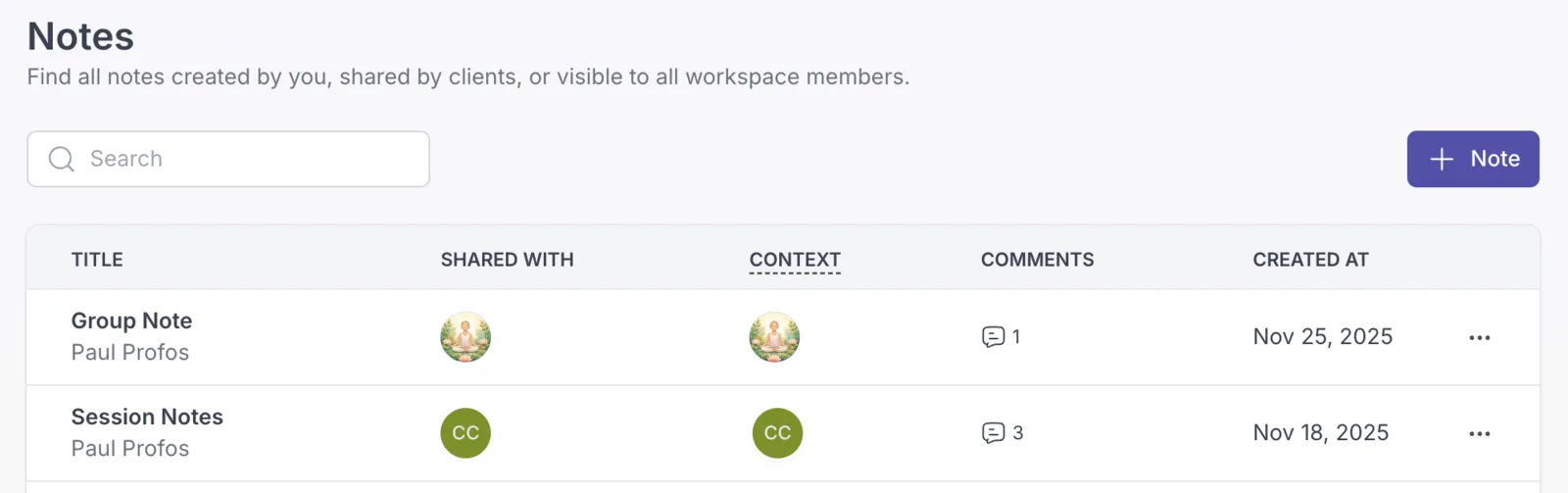
Section titled “Comment Counts on Activities and Notes”You can now see the number of comments on activities and notes directly in the table view. Both, in the professional app and the client app. This gives you a quick sense of engagement without having to open each item.
Bug Fixes
Section titled “Bug Fixes”- Streamlined the UI in several places for a cleaner, more consistent experience.
- Fixed a bug with chat attachments in the client app.