
Voice Messages in Chat, Tables in Notes, and More
A few new things to make your day-to-day in Quenza smoother. Here is what’s new.
Voice messages in chat
Section titled “Voice messages in chat”
You can now send voice messages in chat. Sometimes a quick recording says more than a typed reply, whether you are checking in with a client or sharing a bit of encouragement between sessions. Just record and send, right from the conversation.
Tables in notes
Section titled “Tables in notes”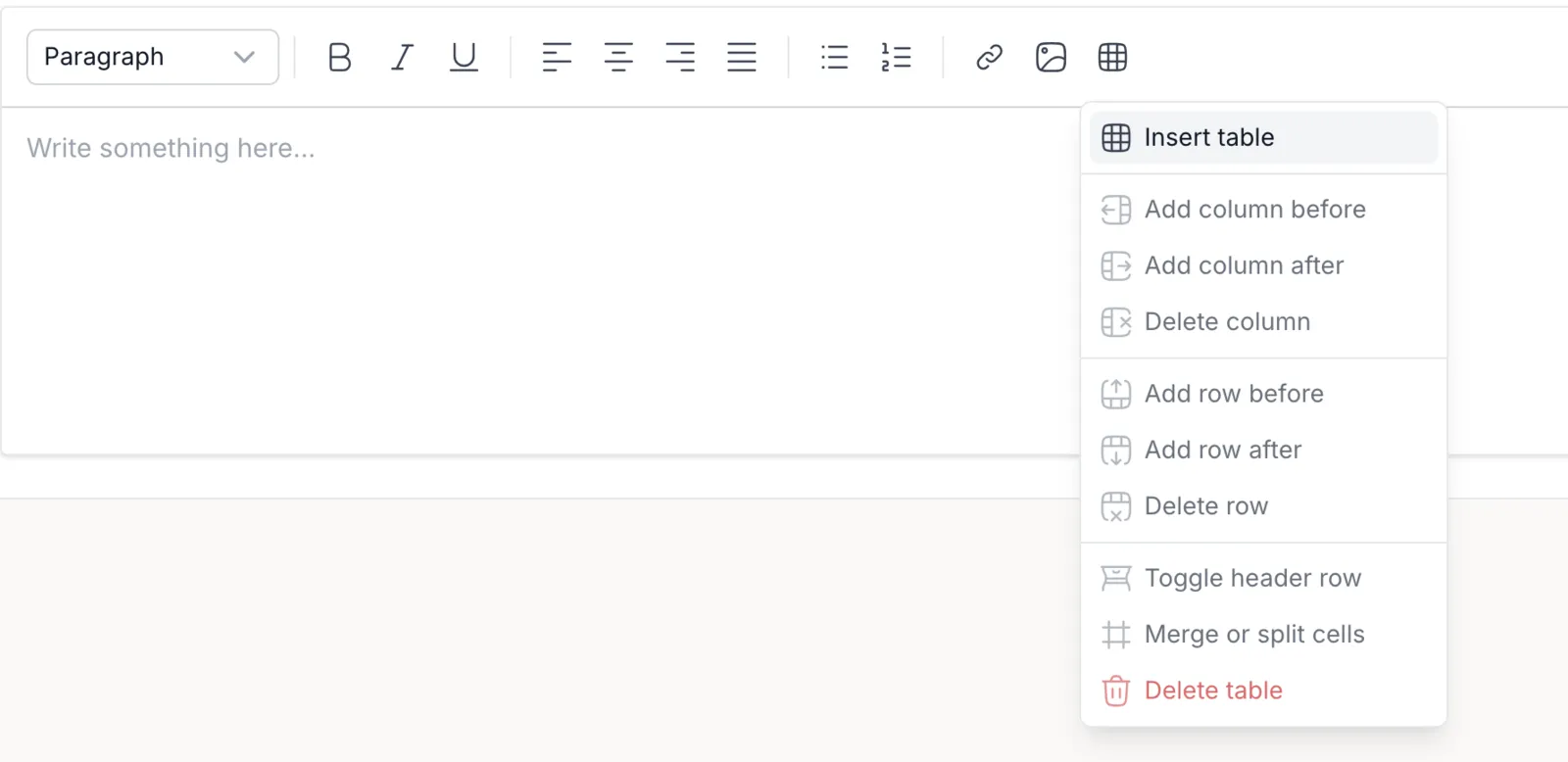
The notes editor now supports tables, so you can structure information in rows and columns, alongside the images and links you can already add. It is handy for session structure, comparisons, or any details that read more clearly in a grid. Tables are available on newly created notes.
Remove your profile picture
Section titled “Remove your profile picture”We’ve improved profile picture uploads. You can now remove your picture entirely, not just replace it, giving you a bit more control over how your profile looks.
See how many items are in a list
Section titled “See how many items are in a list”When a listing spans multiple pages, Quenza now shows the total item count, so you can see at a glance how many clients, activities, or other items you have without paging all the way through.
More soon. As always, keep the requests coming on the feedback board.