
Email Templates: your words, every time you send
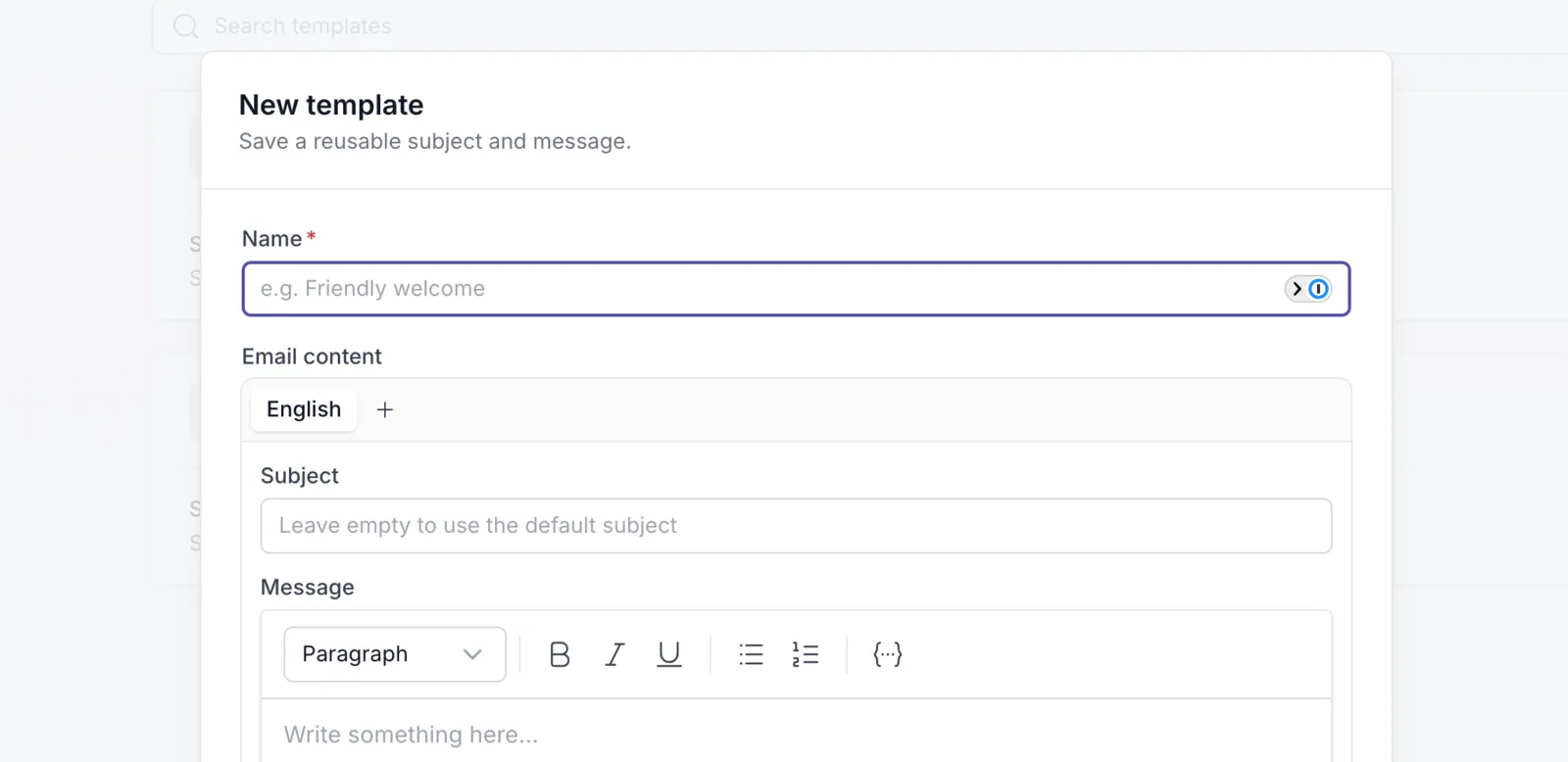
“I hereby send you the activity…” Many of you told us that’s not how you talk to your clients, and that you were rewriting it before every send. You asked for it, and here it is: starting today, the email your clients get sounds like you.
Write it once, use it everywhere
Section titled “Write it once, use it everywhere”Save the message you send with activities and programs as a template, and stop retyping the same message. Create as many templates as you like: a warm welcome for a new program, a short nudge for a weekly check-in, a gentle intro for a first exercise.
The right message, automatically
Section titled “The right message, automatically”Choose your workspace’s default for activities and for programs. Want a different message for a specific activity or program? Give it its own template in its settings. Every time you send, the subject and message are already filled in. Tweak them for this client, or just hit send.
Personal for every client
Section titled “Personal for every client”Add placeholders like the client’s first name or the activity title, and Quenza fills them in for each person. Write a version for each language you work in, and every client gets the message in their own language.
One voice for your whole practice
Section titled “One voice for your whole practice”Templates are shared across your workspace, so everyone on your team sends the same consistent message. Find them under Administration → Workspace → Customization → Templates.
More templates on the way
Section titled “More templates on the way”For now, templates cover the two emails you send most: the one your client gets when you send an activity, and the one when you send a program. More are coming, so you can soon shape other emails from Quenza in your own voice too.
Email Templates are available on the Growth, Impact, Collective and Beyond plans. Full setup details are available in our help center.