
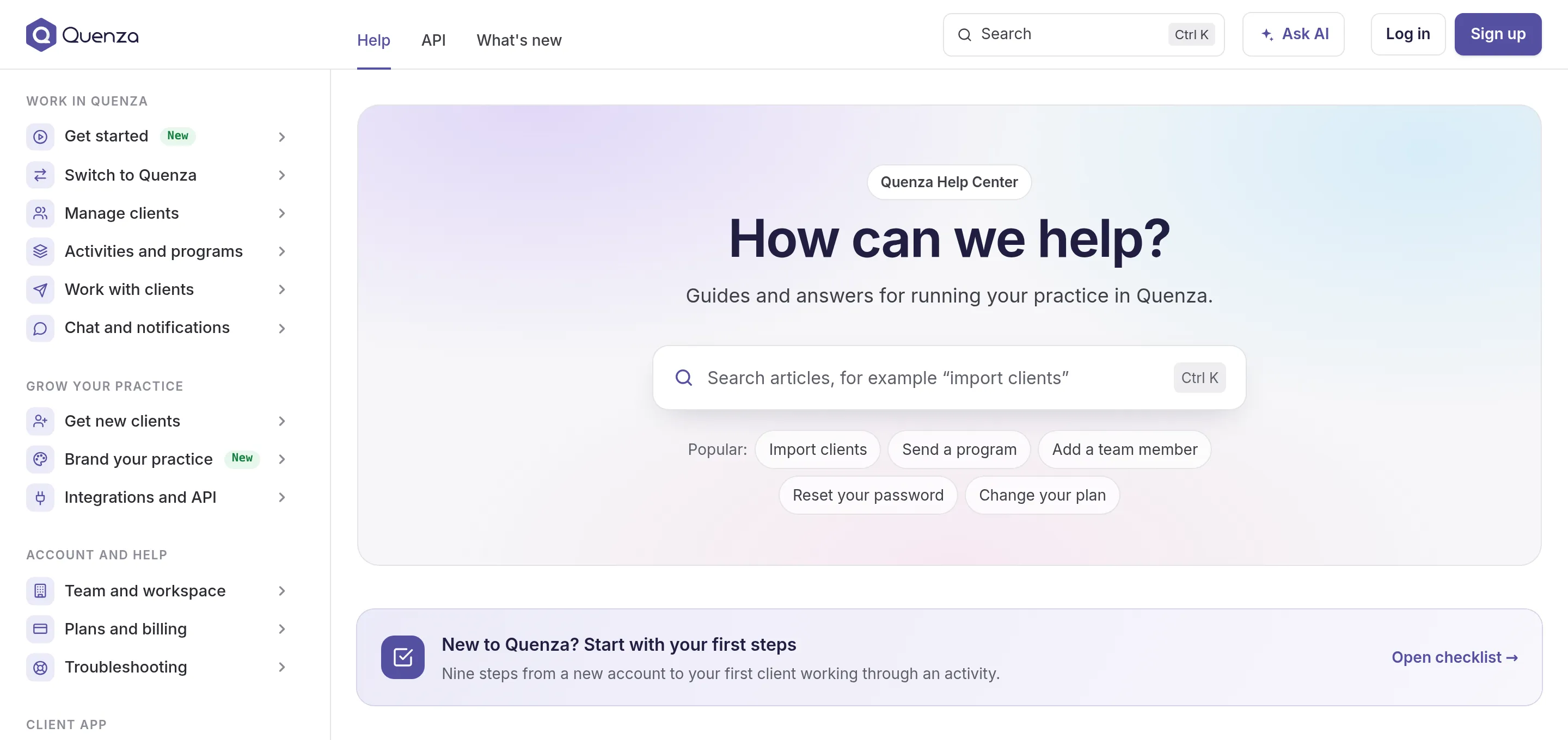
Everything you need to work with Quenza now lives in one place: quenza.com/help. The help center, the API documentation and this What’s new page used to be spread over three sites. Today they share one address, one search and one look, and every article has been rewritten from scratch.
Your old links keep working. Bookmarks to help.quenza.com, to the old changelog and to links in emails and the app now open the matching new page.
Every article, rewritten
Section titled “Every article, rewritten”We went through Quenza screen by screen and rewrote the help center from start to finish: more than 100 articles, each checked against the app as it works today. Buttons and menus are named exactly as you see them, the screenshots are new, and short clips show the steps that are easier to watch than to read, such as adding elements to an activity or activities to a week of a program.
Each article explains what a feature is for and when it helps, not only where to click, with examples from a coaching practice. Articles for paid features say which plan includes them, and a reading time under the title tells you how long it takes.
Find answers faster
Section titled “Find answers faster”- A new search. Open it with the search field at the top, Ctrl K or /. It also finds the words you use when they differ from ours, and shows popular and recently viewed articles before you type.
- Ask AI. Ask a question in your own words, in any language, and get a short answer written from the help articles, with links to the articles it used. If it can’t answer, one click sends your question to our support team.
- Troubleshooters. For a missing invitation or sign-in problems, a few yes or no questions lead you straight to the fix.
- First steps. A checklist for your first days, from your profile to your first client, that remembers what you have done.
- Glossary. Not sure what a word in Quenza means? Point at a dotted word in an article, or open the Glossary.
Guides you can give your clients
Section titled “Guides you can give your clients”The client app has its own section with 15 guides for your clients, from accepting the invitation to completing an activity. Every guide has a Share with a client button: send a link, email it, or show a QR code in a session. Your client sees a calm page with only the guide, without the Quenza help center around it.
Each guide also prints or saves as a PDF handout. For new clients, the welcome kit puts the three guides they need first into one link or handout.
Built for AI assistants
Section titled “Built for AI assistants”The help center is made to be read by AI tools as well as by people. Each article can be copied as plain text or opened in ChatGPT or Claude with one click.
You can also connect Claude, ChatGPT, Cursor or another assistant to the whole help center through MCP. It then looks up its answers about Quenza in these articles and links the page it used. The assistant only reads the help center: it can’t see or change anything in your Quenza workspace. AI assistants shows how to connect it.
The API reference, now part of the help center
Section titled “The API reference, now part of the help center”The documentation of the Quenza API moved from developers.quenza.com to the API tab here. Every endpoint has examples in curl, JavaScript, Python and PHP, and step-by-step guides show complete integrations, such as adding customers from your online shop to a group or syncing clients from your CRM. Webhooks have their own pages, and a Postman collection lets you try every request without writing code. The API itself stays at developers.quenza.com, so existing integrations keep working.
Also new
Section titled “Also new”- What’s new moved here from our feedback board, with every update from the old changelog. A number next to What’s new at the top shows how many updates from the last 30 days you haven’t opened yet. Feature requests and voting stay on our feedback board.
- Switch to Quenza. Guides for moving your practice from a spreadsheet, SimplePractice or Practice Better.
- Was this article helpful? Tell us at the end of each article, with a few words on what was missing. Your answers show us which articles to improve first.
Take a look around, and let us know what you are missing.