
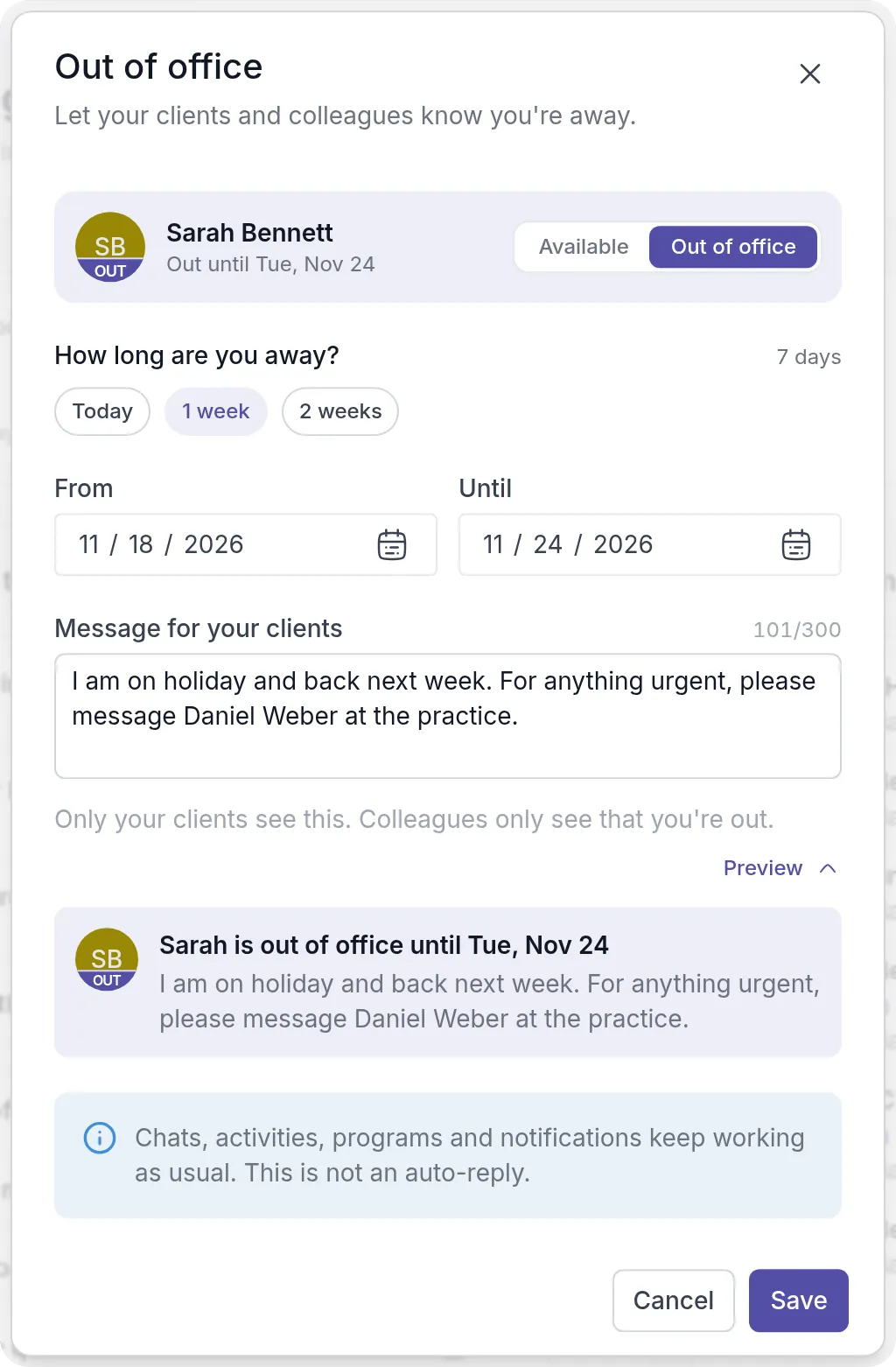
Going away for a few days? You can now set yourself out of office in Quenza. Open the workspace menu, click Out of office, pick your dates and, if you like, write a short message for your clients, such as who to contact while you are away.
Your clients see a note at the top of My Day and on their My professional page, with the day you are back and your message. Colleagues see that you are out and until when, but not your message. Your profile picture gets an OUT band for everyone, and a coloured ring where it is shown small, such as next to chat messages.
You can plan your time away in advance: the status starts on your first day and ends by itself after your last day. Chats, activities, programs, bookings and notifications keep working as usual, and Quenza sends no automatic replies.