
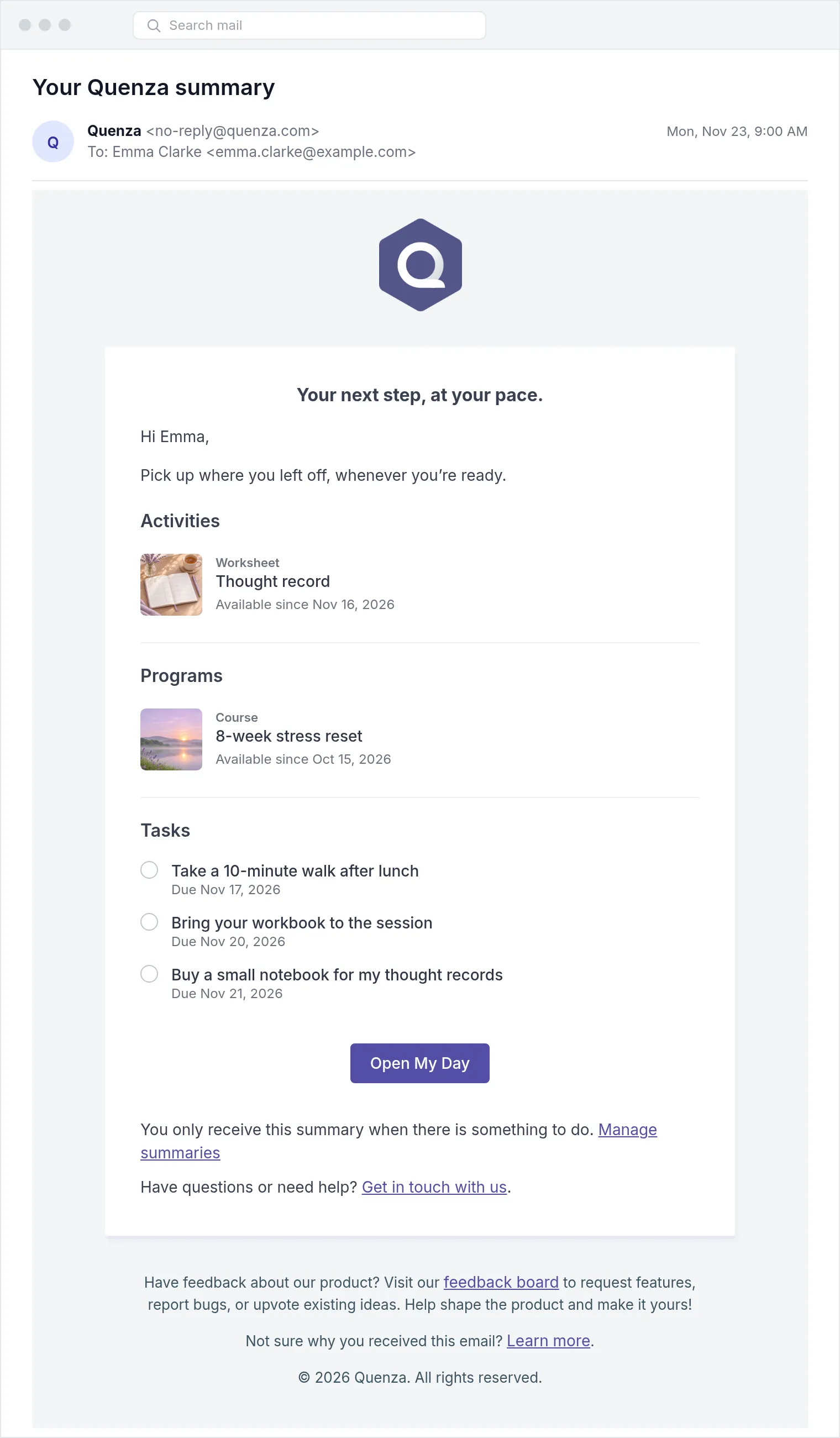
Clients who don’t sign in every day can now get a short summary of what is still waiting for them: open tasks, activities they can do now and programs they can continue. It comes by email, as a push notification in the Quenza app, or both, and only when there is something open.
Your clients decide
Section titled “Your clients decide”Each client sets up their own summary in My Profile: daily or weekly, the time and the weekday, email and push. By default the email only shows how many items are open. Clients can choose to include titles as well; activities and programs then appear with their type, date and cover image. Push notifications never show titles.
New clients have weekly summaries on from the start, on Monday at 09:00 in their time zone. Clients you added before today have them off until they turn them on.
You can see the settings
Section titled “You can see the settings”On a client’s Details tab, the new Summaries card shows whether summaries are on, how they are sent and when. Only the client can change them.